 · 7 min read
How to rescue old magnetic and black-page photo albums safely
Yellow glue strips, crackling film or black pages that crumble. Here's how to tell if your photos are at risk, and how to decide what to do.
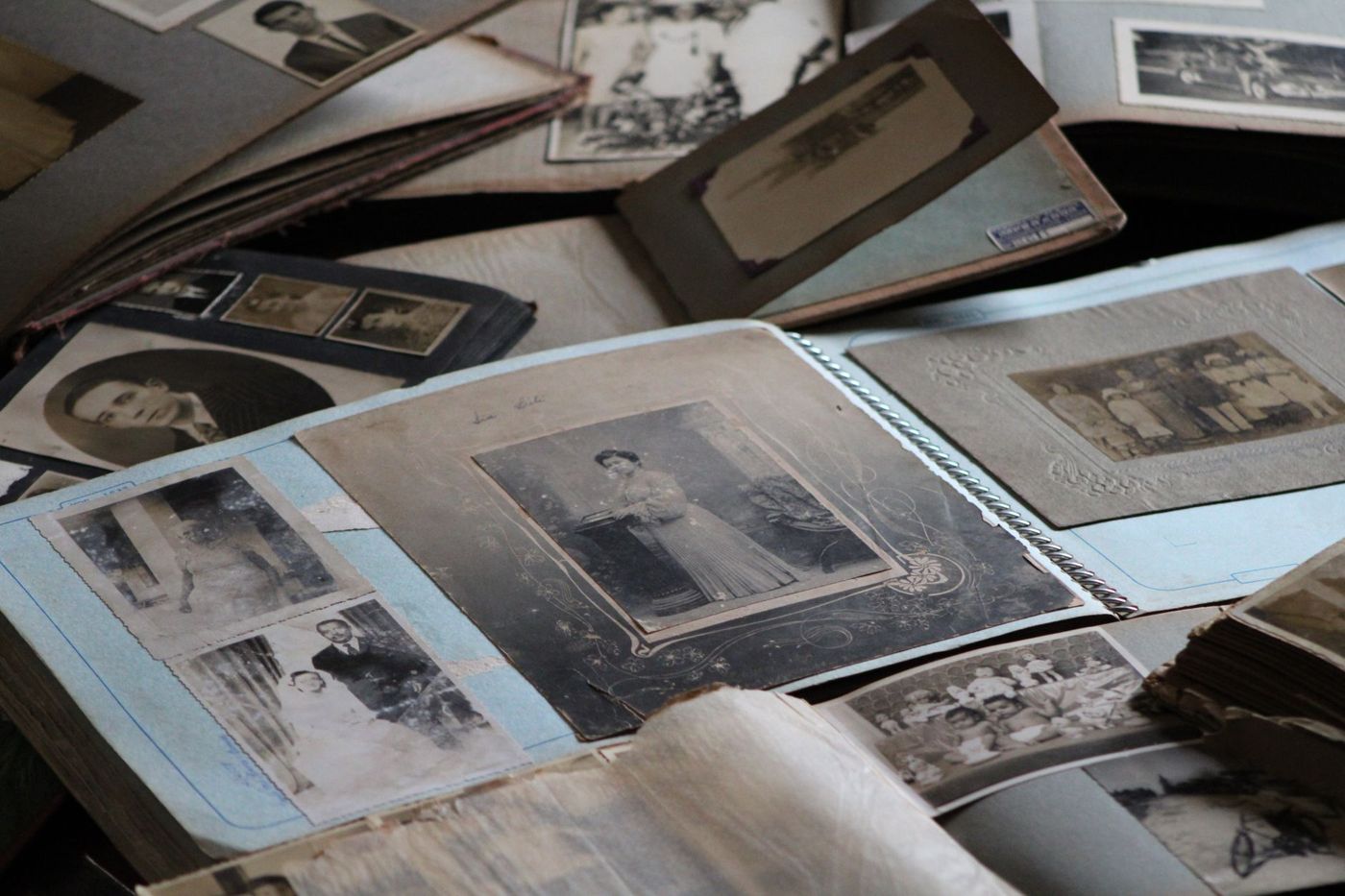
Your parents' or grandparents' album has been sitting at the bottom of a drawer for years. When you open it, the film crackles and the glue strips have turned yellow. Or it's an album with black pages and little white captions, where the photo corners are coming loose. Not every photo is in immediate danger, but an album like that is slowly deteriorating. With a few calm steps you can save a lot, and avoid doing damage with the best of intentions.
Why magnetic albums damage photos
A magnetic album has nothing to do with magnets. It's a card page with a layer or strips of glue, covered by a clear film that holds the photos in place. Lots of families had one, especially in the seventies and eighties, because you could fill a page quickly without glue or corners.
The problem lies in all three layers. The cheap card is acidic, the glue changes over the years and the film may be PVC, a plastic with plasticisers that isn't stable. Together they release substances that affect the colours and leave stains on the backs of photos.
The glue then goes one of two ways. It dries out and becomes brittle, so photos come loose. Or it sticks so firmly that you can no longer get the photo off in one piece.
Black albums are fragile too
The classic albums with black pages seem sturdier, but that paper is usually very acidic too. The black paper is often cheap, wood-pulp paper that breaks down over the years.
That acid can slowly seep into the photos and makes the pages brittle. The glue sometimes used to stick photos down and the old photo corners can also release substances that cause discolouration. At the same time, those pages often hold the handwritten names, dates and jokes that make the album so precious.
How to spot damage
Leaf through the album slowly, with clean, dry hands, and look for these signs:
- glue strips showing yellow or brown through the film
- film that is cloudy or wavy, or stuck to a photo
- photos that are loose or have slipped askew because the glue has dried out
- stains or glue residue on the backs of loose photos
- colour photos that have faded or discoloured
- a bluish, metallic sheen in the dark areas of black-and-white photos
- stains on a photo where a newspaper cutting was resting against it
- black pages that are brittle, crumble at the edges or tear when you turn them
- a musty smell or fluffy spots, which can be a sign of mould
If all you see is yellowing glue, you have time. If the film is stuck to the photo, you see mould or the paper is crumbling, being careful matters more than being quick.
Scan first, then do anything else
Before you touch a single photo, record everything. That way you have a copy if something goes wrong, and you keep the order, the layout and the captions as the maker intended. Otherwise you lose that layout as soon as you take photos out.
First scan or photograph each whole page, then the photos and captions close up. Never press an album that won't lie flat face down on the glass of a scanner. Photograph it from above instead, in daylight, with the album supported by a cushion or rolled-up towels, so the spine doesn't open further than it easily can.
Put a page number in each file name, and add the names or dates written on the page. Soon you'll be able to keep a scanned album like this privately on your shelf in Scrappd and share it later with whoever you like. How best to digitise a whole album, with a camera or a scanner, is a topic in itself.
Leave them in or take them out
Conservators often only remove photos from an album as a last resort. The album as a whole often tells more than the individual photos, and taking it apart loses the order and the captions. On top of that, you risk damaging the photo itself.
So ask yourself these questions:
- Does the photo come away easily? Gently lift one corner. If you feel resistance or the photo bends, stop straight away.
- Is the album itself the story? Handwriting, decorations and an order that someone put together with care are reasons to keep it whole.
- How quickly is it deteriorating? Loose photos in a magnetic album with discoloured glue are better off in a safe sleeve.
- Is this the only print? Without a negative or another copy, you don't want to take any risk at all.
The answer is often a mix. Photos that come loose on their own come out, photos that are stuck stay put, and you have a scan of everything.
Taking photos out of a magnetic album
Work at a clean table and take your time. Peel the film back slowly, from the spine outwards. If the film is stuck to a photo, leave that photo where it is.
Lift a photo with a thin, flat tool, such as a small spatula, and slide it under the edge very gradually. Never bend the photo to prise it loose. Just leave any glue residue on the back. Scraping or solvents do more harm than good; that's a job for a conservator.
Write lightly in soft pencil on the edge of the back which page the photo came from. Then store the photos in the right order in polypropylene or polyester sleeves. There are careful techniques for photos that are really stuck, but they need an explanation of their own.
Black albums and photo corners
You'll usually keep a black album whole. The writing on the pages belongs with the photos, and old photos often curl up as soon as they come out of their album. Nineteenth-century prints in particular are best left exactly where they are.
What you can do:
- If the corners are still holding well, leave them in place.
- If a photo is loose because a corner has dried out, put it back in the same spot with new acid-free photo corners made of paper or polypropylene. The old glue line or a lighter patch on the paper shows where it belonged.
- Leave stuck-down photos stuck. Prising or wetting them damages the image layer or tears the paper.
- Place a sheet of thin, acid-free paper between pages where photos rest against each other or against a cutting. Buffered acid-free paper is fine for most photos; choose unbuffered paper for blueprints and for photos when you don't know the process. Don't do it on every page, because too many interleaving sheets will strain the spine until it breaks.
- If pages have come loose, number them lightly in pencil in a corner of the page, never on a photo, and keep them together in order.
When you need a conservator
Storing and handling an album properly is something you can do yourself. Repairing it is something else. Look for a paper or photograph conservator if:
- a photo has fused with the film
- there is mould in the album or it has got wet
- pages are so brittle that they break or fall apart when you turn them
- the photos are very old, such as photos on glass or metal, or a nineteenth-century album with stiff card pages
- the album has historical value or is the only copy of something the family doesn't want to lose
A conservator can remove glue locally, mend tears with Japanese paper, put pages in polyester sleeves and make a box that fits. Often the advice is to stabilise rather than treat everything. Ask for a proposal first, so you know what will happen.
What to avoid
- sticky tape or glue to mend a tear or a loose photo
- laminating photos or pages
- writing on a photo with a ballpoint pen or marker
- pressing folded or rolled-up pieces flat
- cutting pages out of the album
Then store it calmly
An album that stays whole is best stored flat in a box that fits well, in a cool, dry place where the temperature doesn't fluctuate much. The loft, the cellar and the garage aren't good places. Store loose photos in polypropylene, polyester or polyethylene sleeves, or in an acid-free album with photo corners, and never back in PVC or a self-adhesive album. In a damp room, above about 60 per cent humidity, photos can start sticking to plastic. So keep that place dry.
Questions about this topic
Why do magnetic photo albums damage photos?
A magnetic album contains acidic card, glue that changes over the years and a film that may be PVC. Together they can affect colours and leave stains.
Can you remove photos from a magnetic album?
Only if they come away easily: gently lift one corner and stop as soon as you feel resistance. Leave photos that are stuck where they are; a conservator can help.
What should you do first with an old photo album that's falling apart?
Scan or photograph each whole page, then the photos and captions close up. That way you also keep the order and the captions.
When do you need a conservator for a photo album?
If there's mould or water damage, a photo has fused with the film or pages are so brittle they break. It's also wise for very old photos or an album with historical value.