· 8 min read
How to make scrapbook titles without letter stickers
No e's left on your sheet, or just the wrong colour? With your own hand, a stamp, the printer or an old magazine, you can make a title that fits just right.
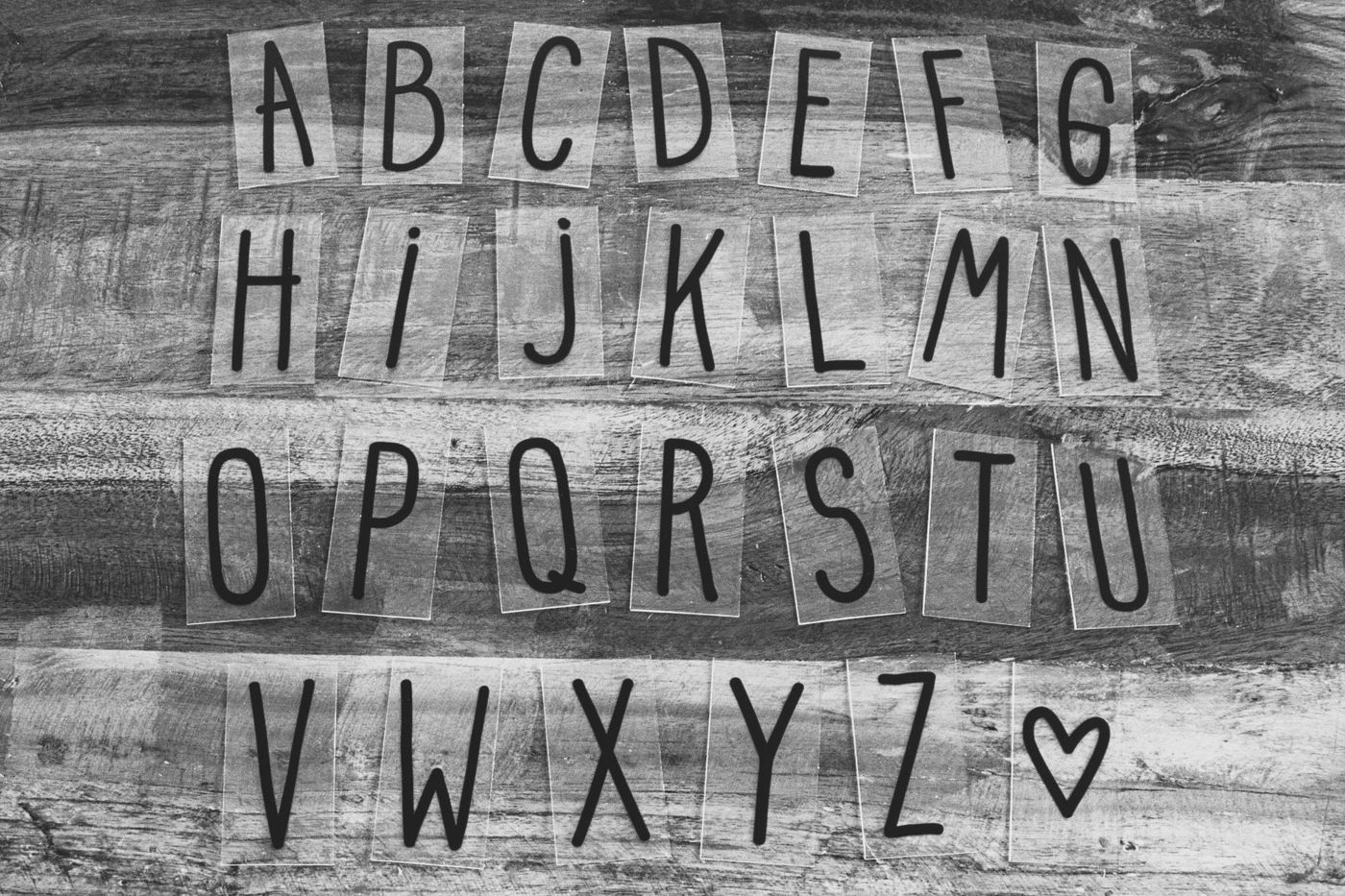
You've got the photos, the paper and the story, and then it turns out your sheet of letter stickers has only two vowels left. Every scrapper knows the feeling. The good news: a title without stickers is often nicer, because it gets exactly the colour, size and mood you want. Below you'll find the most popular ways to do it, from your own handwriting to letters cut from a magazine.
Where to put your title
A title works best close to your main photo. The eye goes to that photo first and then looks for words. If the title sits next to it or underneath, photo and title read as one. A title floating far away in a corner feels disconnected.
A few spots that almost always work:
- directly above or below the largest photo
- on a strip of paper that runs over the edge of the photo
- vertically along the side of a photo, if your page looks narrow
- in a block together with your journaling, so title and text belong together
Lay your title loosely in place before you stick anything down. Move it around a bit and look from a distance. What looks right from a metre away usually is.
How big to make it
There's no set size, but a title should be visibly bigger than the rest of your text. On a 30.5 x 30.5 cm (12 x 12 inch) page you often see capitals of about 2 to 5 cm high. On A4 or a smaller size, you can go smaller.
If you want a long title to stand out, make one word the title and put the rest smaller underneath. "Summer" in big letters with "at Gran's in Zeeland" small underneath is calmer than six words all shouting equally loud.
Hand lettering for beginners
Hand lettering means drawing letters rather than writing them. You don't need nice handwriting, just some practice. To start, all you need is a pencil, an eraser, a ruler and one pen with a flexible brush tip, a brush pen. Only buy more colours once you notice you really use it.
Here's how to go about it:
- Draw two light guidelines in pencil, so your letters end up the same height.
- Sketch your word in pencil first. Start with the middle letter and work outwards, and your title will be centred automatically.
- Go over it in pen and rub out the pencil lines once the ink is completely dry.
With a brush pen, press harder on the downstrokes and lighter on the upstrokes. That gives you thick and thin lines, just like calligraphy. If that doesn't work yet, try faux calligraphy: write your word with an ordinary fineliner, then add a second line next to each downstroke and colour it in. The effect is almost the same.
At first, pick one lettering style and copy out the whole alphabet a few times until it feels natural. Only then move on to the next. Ten minutes a day gets you results faster than one long evening.
If you're afraid of ruining your page, write your title on a separate piece of paper and cut or tear it out. If it goes wrong, throw it away. A handy trick if you're unsure of your handwriting: print the word at full size, put it under thin paper or against the window and trace the shapes with your own pen.
Stamps as an alternative
A set of alphabet stamps lasts for years. A set of large and a set of small letters work out cheaper in the long run than buying new sticker sheets again and again, because you can use them with any colour of ink.
With clear stamps on an acrylic block, you can see exactly where you're stamping. Put all the stamps for your title next to each other on the block in one go, so they sit neatly in a row. Press straight down and lift straight up.
If you'd rather not stamp directly on your page, stamp on a strip of cardstock (sturdy card in one solid colour) or on clear tape. If it doesn't work, take a new strip. Cut out the version that worked and stick it down.
Want more life in stamped letters? Go over them with a fine pen. A dotted line along the edge or a few tiny flowers in the curves turns a simple stamp into a title of your own.
Templates and stencils
Letter templates come in plastic and in card. You trace the letter onto paper in pencil and cut it out, or you place the template on your page and fill the opening with ink, paint or a marker. Use only a little ink and dab rather than wipe, so nothing seeps under the edge.
You can also make a template yourself. Print the letters you use a lot on thick paper, stick that onto thin card and cut them out. A card template is sturdy enough to trace around a few times.
Printing titles
With a printer, you suddenly have hundreds of fonts. For titles you want to cut out, choose a font with thick lines: they're easier to cut and stay in one piece better.
Here's how to cut printed letters without the edges showing: mirror your word in your word processor and print it in light grey on the back of your patterned paper. After cutting, turn the letters over, and there's no pencil line or printed edge to be seen.
A few more tips:
- Print only the letters you need, a few per sheet if you like, and keep the rest of the sheet for later.
- Turn off the "fit to page" option when printing, otherwise your letters will be shrunk or shifted.
- If you print block letters, meaning letters inside a little square, you actually get three sets in one: stick the square on as it is, cut the letter out, or fill the hole in the square with other paper.
When cutting out, start with the smallest bits, such as the inside of an a or an o. Make small snips and turn the paper, not your scissors. If a letter does tear, glue the pieces neatly together on the page with a glue pen. A thin outline around it hides the tear.
Cutting letters from scrap paper or magazines
Cutting letters freehand sounds hard, but chunky, slightly angular letters are actually charming. Draw them on the back of your scrap paper, mirrored, and cut them out. They don't have to match.
Letters from magazines, leaflets and packaging give a collage feel. Look for headlines and large numbers, cut out each letter with a small border around it and collect them in an envelope. Mix fonts and colours, or stick to one colour for a calmer look. This style suits a cheerful or quirky page, less so a quiet heritage album.
Leftover patterned paper is useful too. A title where each letter comes from a different pattern from the same collection looks deliberate and clears out your box at the same time.
Readable on a busy background
A beautiful title you can't read misses the point. On a busy pattern or a photo, you need contrast. A few ways to get it:
- Put your title on a calm area: a strip of plain cardstock, a label or a small card.
- Stick letters onto a plain background and cut them out with a narrow border, so each letter gets its own frame.
- Outline your letters with a white gel pen on dark paper or a black fineliner on light paper.
- Cut each letter twice, in a dark and a light colour, and layer them a few millimetres apart. That creates a shadow.
- Raise your title with foam tape, so it lifts off the background.
Not sure? Take a photo of your page with your phone and look at it small. If you can still read it then, it's readable enough.
How many fonts to combine
The rule of thumb: two, three at most. Let one font take the lead, for example graceful hand lettering or bold block capitals, and choose a calm font for the rest. Two eye-catching styles side by side will fight each other.
Contrast, on the other hand, is fine: a script font next to clean capitals, or big next to small. Keep the colours close together, though. Pick one or two colours from your photo and use them in the title, and everything will belong together.
Feel free to vary the style from page to page. An album doesn't need the same font everywhere, as long as each spread stays calm on its own.
Small mistakes that are easy to avoid
- Letters that bump into each other or drift too far apart. Lay everything out loosely first and look at the space between the letters, not at the letters themselves.
- A title that slopes. A pencil line or the edge of a ruler under your letters helps.
- A spelling mistake you only spot once everything's stuck down. Write the word out on a scrap of paper first.
- Too many words. A short title with rich journaling underneath tells you more than a long title.
Start with one method and try a different one next time. After a few pages, you'll naturally notice which titles suit your book.
Questions about this topic
How do you make a scrapbook page title without letter stickers?
You can draw the letters yourself, stamp them, fill them in with a template, print and cut them out, or cut headlines and letters from magazines. Lay your title loosely in place first, so you can see whether it suits your page.
How big should a title be on a scrapbook page?
A title should be visibly bigger than the rest of your text. On a 30.5 x 30.5 cm page you often see capitals of about 2 to 5 cm high; on a smaller page, you can go smaller.
How many fonts can you combine on one page?
As a rule of thumb, two, three at most. Let one font take the lead and choose a calm font for the rest, so the styles don't fight each other.
How do you make a title readable on a busy background?
Put the title on a calm area, such as a strip of plain cardstock or a label, or outline the letters. A shadow made from a second, offset layer of letters also helps.