 · 7 min read
Printing photos for your scrapbook: at home or with a photo lab
Printing at home, a small photo printer or ordering prints: what suits your album? On sizes, matte or gloss, how long prints last and editing.
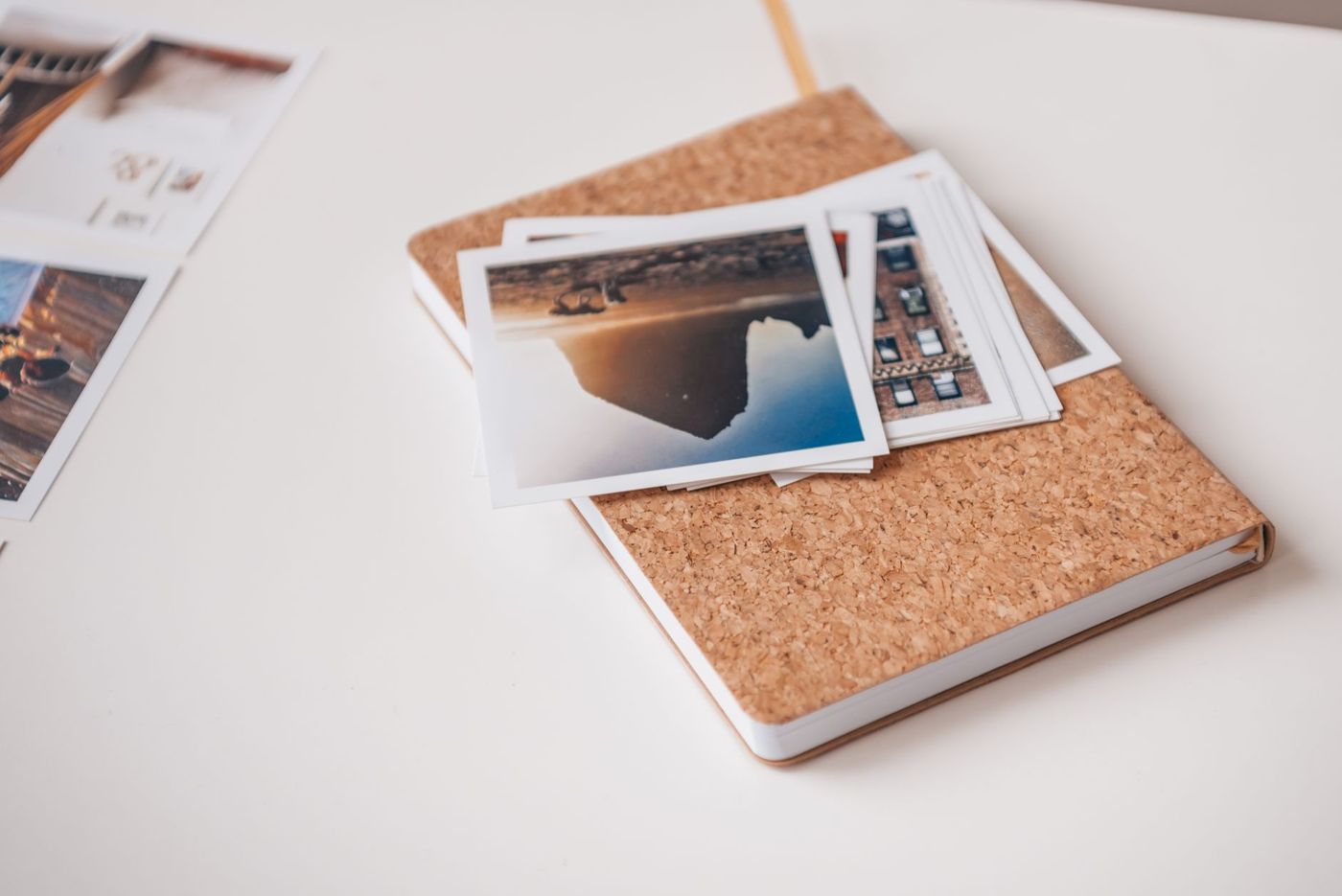
You have hundreds of photos on your phone and want a few of them in your album. But where do you get them printed, and how? Printing at home, a little photo printer or a photo lab after all: each choice has its own advantages. Here you can read what suits your way of scrapbooking.
Choose first, then print
Before you order or print anything, it helps to be strict when you select. Delete blurry and failed photos straight away, and pick the best one from a series of nearly identical shots. A few good photos on a page look calmer than ten small ones.
Think about the story you want to tell, too. If you know which page you're going to make, only print what you need. That saves paper, ink and a drawer full of photos that never find a place.
Printing at home, photo printer or photo lab
A photo lab, online or in a shop, gives the best quality for standard sizes. The colours are reliable, the paper is real photo paper and the prints usually last a long time. Per photo it's often cheaper than printing at home, especially if you order a good-sized stack in one go. The downside is that you have to wait and that unusual sizes aren't always possible.
Printing at home with an ordinary inkjet printer is handy if you need a photo quickly, want an unusual size or are only printing a few photos. You're in control of everything yourself. On the other hand, photo paper and ink are expensive, and the quality depends a lot on your printer.
Here's how to get the most out of printing at home:
- Use real photo paper, not ordinary printer paper.
- In the print dialogue, choose the right paper type, for example glossy photo paper, and the highest quality. With the wrong setting, colours turn dull or the ink runs.
- Want a photo in an unusual size, such as 7 x 7 cm? In a word processor or presentation program, create a page the size of your paper, place your photos on it and give them the right size. Then set the printer to the same paper size, so nothing gets scaled.
- Put several photos on one sheet. That saves paper.
- Let the ink dry properly before you start sticking or stacking.
A small photo printer sits somewhere in between. More on that further down.
Matte or gloss
Glossy photo paper gives bright colours and deep blacks. It makes photos look vivid. But gloss reflects light, shows fingerprints and can be hard to see under a plastic sleeve or near a lamp.
Matte paper, sometimes also called lustre or satin, hardly shines at all. It feels calmer and goes nicely with paper, cardstock and a vintage style. It's easier to write on and fingerprints are less noticeable. The colours are a little softer, though.
For scrapbooks, many scrapbookers choose matte or lustre, precisely because the photo then blends in better with the paper around it. If you want a photo to really pop, for example a colourful holiday photo as the centrepiece, gloss is fine. If you're not sure, order a few photos of each once and lay them on your page.
Which sizes are handy
The standard size is 10 x 15 cm. That fits well on a 30.5 x 30.5 cm page, with room for a title, text and decoration. Other handy sizes:
- 10 x 10 cm: square, calm and easy to combine.
- 9 x 13 cm: a little smaller, nice if you want several photos on a page.
- 13 x 18 cm or larger: for one big photo that carries the page.
- Little photos of around 5 to 7 cm: for a mini album, a journal or a strip of details.
- Pocket albums often have pockets of about 7.5 x 10 cm and 10 x 15 cm; your photos slide straight in.
A 30.5 cm page usually fits two to four 10 x 15 cm photos. For an A4 album, a smaller size often works better. You can of course always trim a photo yourself, but if you have it printed in the right size straight away, the proportions stay right and you don't lose anything important at the edges.
A tip: if you use a photo lab for square photos, check whether they're printed with or without a white border. With a narrow border, you can trim the photo evenly afterwards.
Small photo printers for polaroids and stickers
There are compact printers that you control from your phone and that print small photos. They're lovely for journals, mini albums and polaroid-style photos with a white border you can write on. Roughly speaking, there are three kinds:
- Printers that use dye sublimation. They use heat and a ribbon to make smooth, good-looking prints and add a protective layer against moisture, stains and fingerprints.
- Printers that print on instant film, the same film you know from instant cameras. That gives the real polaroid feel, but each little photo is relatively expensive.
- Printers with special paper that already contains the colour and has a sticky back. You don't need ink or glue, but the colours are often a bit duller and the prints less sharp.
Some of these printers run on a battery, so you can take them to a party or on holiday. Self-adhesive photo paper turns any photo into a sticker that you can stick straight into your journal.
Don't expect photo lab quality. These printers are less sharp and are mainly meant for small memories, not for large photos you look at up close.
Want to make your own stickers on an ordinary printer? Do a test on plain paper first and check whether your sticker paper is suitable for your type of printer. Set the printer to glossy photo paper and a vivid colour mode; that makes the colours richer. On clear sticker paper, light areas let the surface underneath show through.
How long do home prints last
That mainly depends on the ink and the paper. Many ordinary inkjet printers use dye-based ink. It gives lovely colours, but it's more sensitive to light and can fade after some years, especially if a page is often left open or sits in the sun. Pigment ink is usually more lightfast and lasts longer, but printers that use it are more expensive.
Prints from a photo lab usually last longer than home prints. That's why many scrapbookers have important photos, such as a wedding photo or a photo of a grandad who has passed away, made by a photo lab, and only print the quick extras at home.
You can make any print last longer:
- Use photo paper and ink that belong together, preferably from your printer's brand.
- Stick photos down with photo-safe glue or photo corners, not with ordinary school glue or sticky tape.
- Keep your album in a dry, dark place, out of the sun and away from the radiator.
- Keep the original files. If a photo does fade, you simply print it again.
Should you edit your photos first?
Not necessarily, but a few small tweaks often make a big difference. Crop the photo so the subject is nicely framed, straighten a tilted horizon and brighten a dark photo a little. Prints usually come out a bit darker than what you see on your screen, so making them a touch lighter and adding a little more colour often helps.
Be careful with heavy filters. A photo that looks trendy today can look dated in a few years. If you want to give an album one mood, edit all the photos the same way, for example all in black and white.
Pay attention to sharpness and file size, too. Always use the original. Photos sent via a messaging app have often been shrunk considerably and turn blurry when you print them large. For a sharp 10 x 15 cm print, you need about 1200 x 1800 pixels. View the photo at full size on your screen: a blurry face won't get any sharper on paper.
A few final tips
- Print a test first, especially if you're going to print or order a large stack.
- Order a few too many rather than too few of a photo you really care about. An extra print is handy if you're cutting or something goes wrong.
- Don't write on the back of photos with an ordinary ballpoint pen. Use a photo pen or, on matte paper, a soft pencil. If that doesn't take, write the details on the page itself.
- Sort fresh prints by event or month straight away. Then you'll find them again when you sit down to scrapbook.
That way, you won't just have photos on your phone, but a book you can actually hold.
Questions about this topic
Is it better to print photos at home or use a photo lab?
A photo lab usually gives the best quality for standard sizes, and its prints generally last longer. Printing at home is handier for unusual sizes, quick prints and small numbers.
What's the best photo paper for a scrapbook, matte or glossy?
Many scrapbookers choose matte or lustre, because the photo then blends in better with paper and cardstock and it's easier to write on. Gloss gives brighter colours and suits a photo that really needs to stand out.
What size photos fit on a scrapbook page?
The standard size is 10 x 15 cm. That fits well on a 30.5 x 30.5 cm page, with room for a title and text. Other handy sizes are 10 x 10 cm, 9 x 13 cm and little photos of 5 to 7 cm for a journal.
How long do photos printed at home last?
That mainly depends on the ink and paper. Dye-based ink can fade after some years; pigment ink is usually more lightfast. Use paper and ink that belong together and keep the album somewhere dark and dry.