· 8 min read
Choosing cutting tools: paper trimmer, scissors and cutting mat
Straight edges are the difference between a page that looks messy and one that feels calm. Which cutting tools do you really need, and why do your cuts sometimes still go crooked?
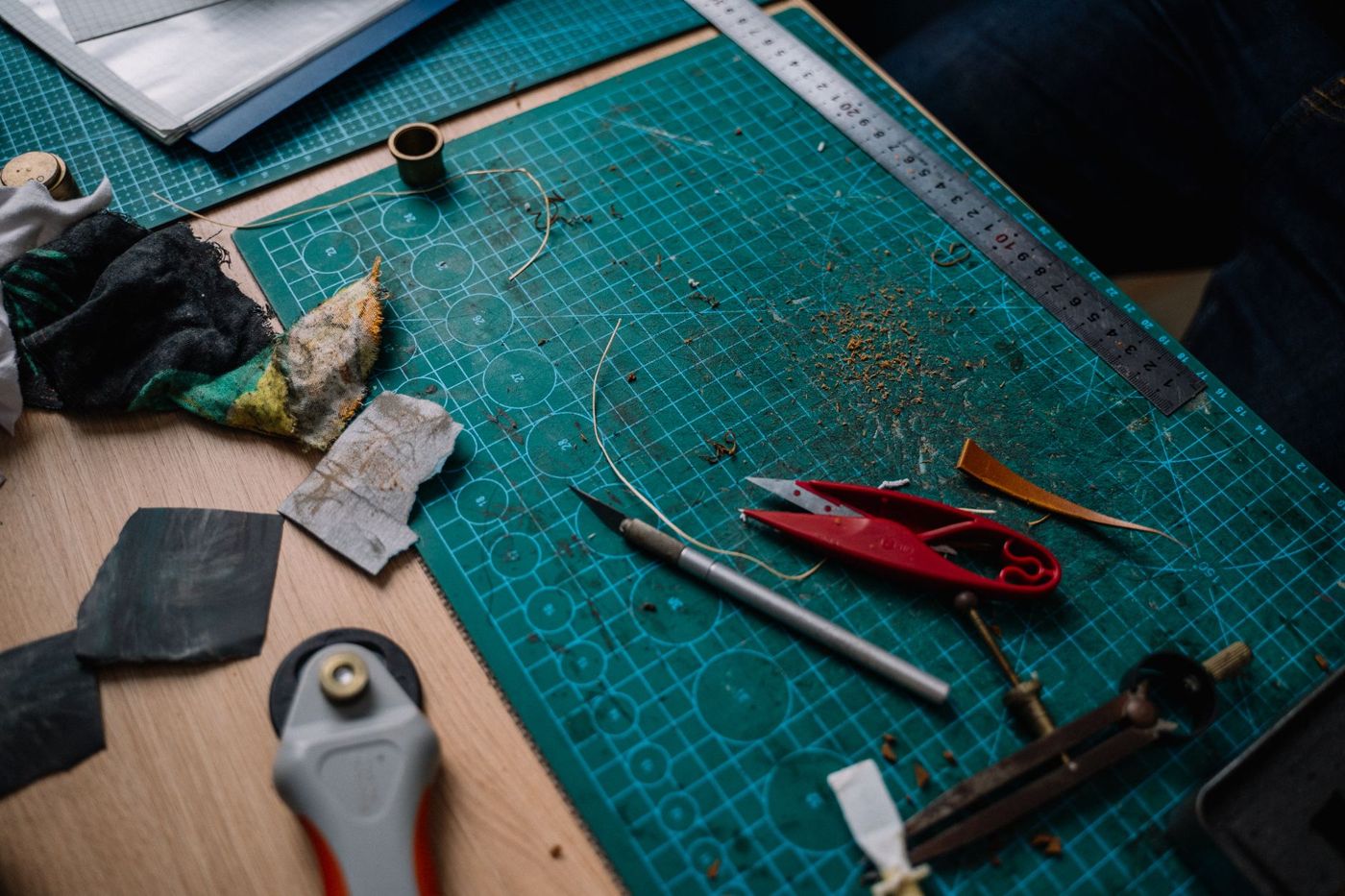
You can scrapbook with the scissors from the kitchen drawer. But once you've been at it for a while, you soon notice: a mat that's just slightly crooked, an edge that frays, a strip that's narrower at the end than at the start. The right cutting tools turn those small annoyances into calm, straight edges. You don't need much, as long as you know what each tool does well.
Paper trimmer, rotary trimmer or guillotine?
For straight lines there are three kinds of cutter. They look alike, but they work differently.
A paper trimmer with a sliding blade or a rotary blade is what most scrapbookers have on their table. You place the paper against the edge stop, fold or slide the guide over it and pull the blade towards you in one movement. It has measurements on it, so measuring and cutting happen at the same time. A rotary blade usually lasts longer. With a sliding blade you can often put a scoring blade in the holder, so you can make fold lines with the same tool.
When buying one, look out for three things:
- The cutting length. If you work on 30.5 x 30.5 cm (12 x 12 inch), you want a trimmer that can handle the whole sheet, or a fold-out arm that supports the paper. A small trimmer is nice for mats and cards, but too short for large sheets.
- Centimetres and inches on the ruler. Many layouts and sketches come from America and work in inches.
- Separate replacement blades. Check whether they're still sold for your model. With cheap trimmers the manufacturer sometimes stops making them, and then a trimmer with a blunt blade is useless.
A guillotine has a large blade on an arm that you press down. It cuts stacks of paper in one go and gets through thick board with no effort. Scrapbookers rarely need that. Narrow strips of a few centimetres are also hard to cut accurately with one. If you do choose one, go for one with a safety guard and a clamp that holds the paper, and bring the blade down slowly.
A handheld rotary cutter, like the ones quilters use, is a round blade on a handle. You roll it along a ruler over a cutting mat. It's good for thin paper, tissue paper and Japanese paper, which tear or crease easily with an ordinary blade. Cork, foam sheets and greyboard cut well with it too. It works for curves as well, but that takes practice.
For most scrapbookers the combination is simple: one paper trimmer for everything that needs to be straight, and a knife and scissors for the rest. A small trimmer for on the go and a big one at home works too. One tool that does everything perfectly doesn't really exist.
Which scissors for fine work and which for sticky stuff?
You really need two pairs of scissors.
The first is a small pair with a fine, sharp tip. Use it to cut out flowers from patterned paper, rounded corners and small shapes. Ordinary office scissors are too clumsy for this: the blades are thick and it's hard to see where you're cutting. Choose a pair that feels comfortable in your hand, because you'll use it often and for a long time. Use these scissors for paper only.
The second is for anything sticky: double-sided tape, foam tape, sticker sheets, washi tape. Glue sticks to the blades, and scissors covered in glue residue cut badly and go blunt faster. Scissors with a non-stick coating have far less trouble with this. An old pair you no longer use for anything else works fine too.
If you do get glue on your good scissors, wipe it off carefully with a cloth and a little adhesive remover or alcohol, and let the scissors dry properly. If they have a non-stick coating, check what the manufacturer recommends first, as some products damage the coating.
Craft knife and cutting mat
With a craft knife you can cut what a paper trimmer can't: a window in the middle of a sheet, a long cut in a direction that doesn't fit, thick board or chipboard. Two kinds are handy:
- A snap-off knife, the familiar one with segments. Choose an ergonomic model and perhaps sharper 30-degree blades. They let you see better where you're cutting and the blade goes through the fibres more cleanly.
- A pen-style precision knife. You steer it like a pencil and it's ideal for fine shapes and curves. A handle with a textured grip stops your fingers slipping.
A craft knife is the sharpest tool on your table and has no guard. Keep it away from children, retract the blade after use and always cut away from yourself.
A knife only works with a good surface underneath. A cutting mat protects your table and lets the blade sink in slightly, so it doesn't slip. Most mats are self-healing: the cut lines close up again. Get at least A3. An A4 mat soon feels too small, and a mat that's larger than 30.5 cm on both sides lets a whole scrapbook sheet fit on it completely. A grid on the mat helps with lining things up. A glass cutting mat is an alternative that's easy to clean, but the blade goes blunt faster on it.
Use a metal ruler with it, ideally one with a non-slip back. A plastic ruler gets cut into by the blade, and then your lines go wavy. For thick board a wide ruler is nicer, because it keeps your fingers further from the blade.
Why do your cuts go crooked, and what helps?
It's almost always one of these causes:
- The paper slides. Place it snugly against the top edge of your trimmer and hold it firmly with your free hand while you cut. With a ruler, you can fix it in place with tape or a weight.
- The blade tilts. Keep the blade upright against the edge of the ruler and let it glide along that edge rather than pressing hard. Look at the line in front of the blade, not at the blade itself.
- The blade is blunt. Then it pulls the fibres apart instead of cutting through them, and you get frayed edges and little tears.
- You're cutting too much at once. Don't stack more than two sheets of cardstock, because the top sheet pushes the bottom one away. Cut thick board with a few light strokes, where the first makes a groove that guides the next ones.
- You're cutting against the grain of the paper. That often gives more resistance and frays more easily. If you notice that a sheet cuts more smoothly in one direction, use that direction for your long cuts.
- You overshoot the corners. When cutting a window with a knife, place the blade in the corner first and cut from the corner outwards. That way you won't run past the corner.
Also measure from the same side. A sheet that's slightly off square on one side gives a slightly bigger error with every cut after that. So cut one edge straight first and measure from there.
Replacing and sharpening blades
A blunt blade is the biggest cause of frayed edges. You'll notice it when the cut edge starts to fluff, when the blade no longer goes through the paper in a few places, or when you have to go over it twice.
With a snap-off knife you simply snap off a segment. Do it more often than you think: a fresh tip really makes a difference for fine work. With a precision knife you replace the whole blade.
For a paper trimmer you buy separate replacement blades for your model. Keep a few in stock if they're hard to get. Don't try to sharpen a blunt trimmer blade with aluminium foil, sandpaper or a nail file; it doesn't work well and can damage the blade or the guide. Keep the cutting blade and the scoring blade in a set place so you don't mix them up. Blow or wipe the guide rail clean now and then, because paper dust makes the blade run less smoothly.
Try unfamiliar or thick material on an offcut first. Glitter paper, foil and chipboard blunt a blade faster than ordinary cardstock.
Punches and corner punches
A punch presses a shape out of paper in one movement: a heart, a circle, a tag or a decorative border. It's quicker than cutting by hand and every shape is exactly the same.
- A corner punch rounds the corners of a photo, mat or card. There are punches with different radii, for example 3, 5 or 8 mm. Rounded corners look softer and are less likely to bend. It's a small thing you'll use often.
- Shape punches come in sizes from about 1 cm for little tags and notebooks to 2.5 cm or more for cards and pages.
- Border punches make a decorative edge along a strip of paper.
- A tag punch makes tags in a few set sizes.
Pay attention to the thickness of your paper. Many shape punches are designed for thin to medium-weight paper; thick cardstock can make the punch catch or damage it. Some corner and border punches can handle more. Check what the manufacturer says.
Keep the leftovers too. The sheet the shape was punched from sometimes makes a lovely stencil, and the little punched-out shapes are handy as small accents.
A die-cutting machine or cutting plotter can do a lot more, but you don't need one to get started. With a paper trimmer, two pairs of scissors, a knife, a cutting mat, a metal ruler and a corner punch, you can do almost anything.
Questions about this topic
What cutting tools do you need for scrapbooking?
With a paper trimmer, two pairs of scissors, a craft knife, a cutting mat, a metal ruler and a corner punch, you can do almost anything. You don't need a cutting plotter or die-cutting machine to get started.
Why is my paper trimmer cutting crooked?
Usually the paper slides, the blade tilts or the blade is blunt. Place the paper snugly against the edge stop, hold it firmly and replace a blunt blade.
Which scissors should you use for tape and which for paper?
Use small, sharp scissors for paper only. For tape and other sticky materials, use non-stick scissors or an old pair.
What size cutting mat is best for scrapbooking?
Choose a self-healing cutting mat of at least A3, ideally larger than 30.5 cm so a whole scrapbook sheet fits on it. Use a metal ruler with it, because a plastic ruler gets cut into.