 · 7 min read
Sharing your pages without harming your children's privacy
You want to show your pages, but your children and family are on them. What to leave out, when a sticker is enough and how to keep private what is private.
A page about the first day at school, the birthday party or a Sunday at the beach. You're proud of it and want to show it. But your children are on that page, with their names, their school and sometimes a glimpse of what's going on at home. With a few choices made beforehand, you can share what you want without giving away more than you need to.
What should you leave off a page you share?
A scrapbook page tells more than a single photo. That is exactly its strength, but when you share it, it's also the risk. Check a page for these things before you show it publicly:
- Surnames. A first name is usually enough, and sometimes even that isn't needed.
- The name or logo of the school, sports club or childcare. Think of school jumpers and name tags in the photo too.
- Your address, house number, a street sign or a number plate in the background.
- A date of birth combined with a full name.
- Regular places and times: every Wednesday to swimming lessons at that one pool tells a stranger more than you think.
- Photos in the bath, in swimwear or in pyjamas, and moments when a child is sad or angry. They're precious for your own album, but not for a public page.
A good rule of thumb: if in doubt, leave it out. A page rarely looks any less lovely for it.
Covering faces: is a sticker enough?
Many scrappers stick a heart, star or flower over a child's face, on paper or digitally. That's a fine gesture, but it only works if you really cover the face. A small sticker over the eyes often shows enough to recognise someone: the shape of the face, the mouth, the hair.
If you want to cover a face, do it like this:
- Cover the whole face with something you can't see through. No vellum or clear stickers.
- On a digital page, choose a strong blur or a solid block, not a light haze. Keep the edited version separate from the original, so you never share the wrong file by accident.
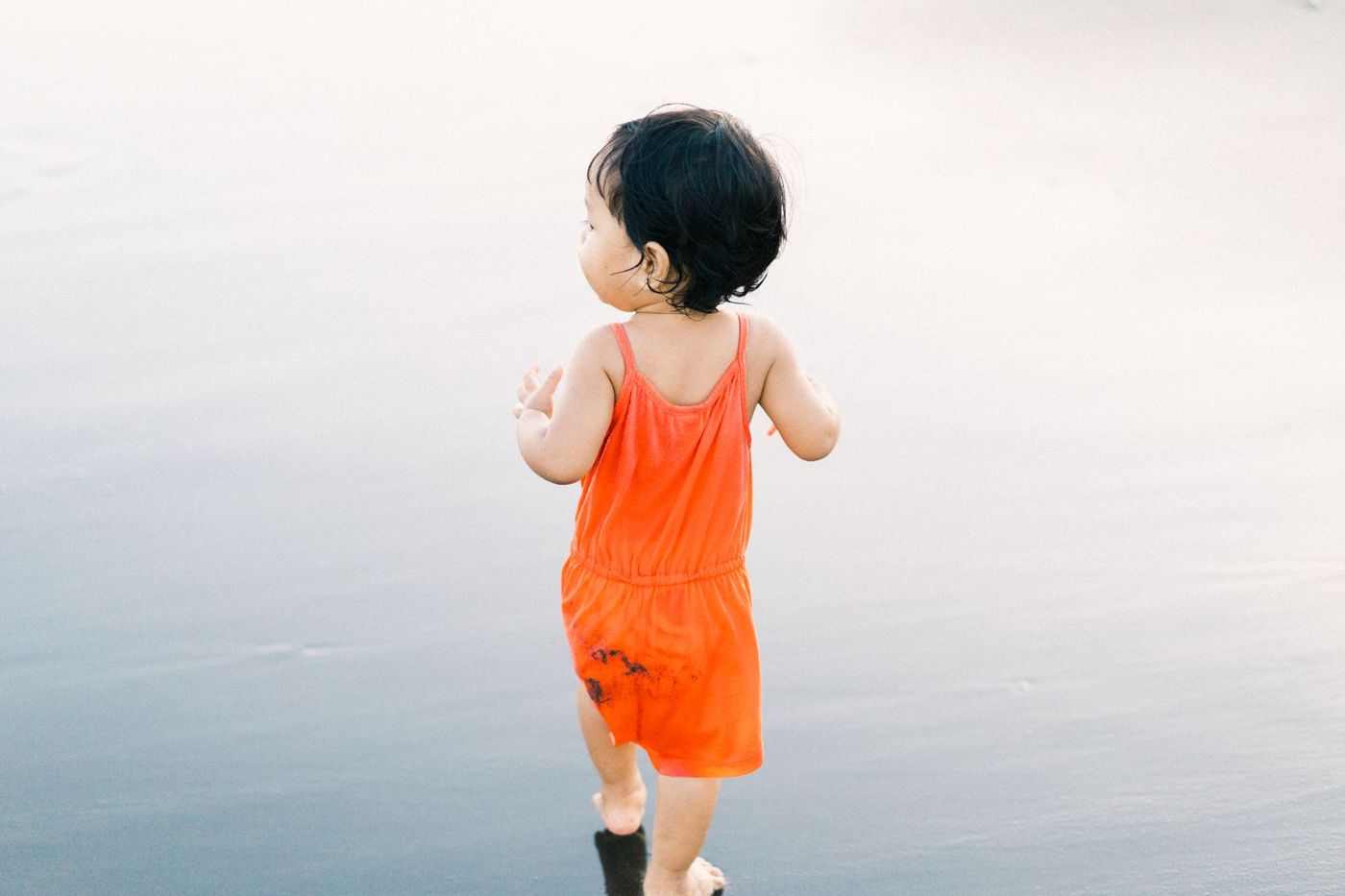
- The simplest option is a photo without a face. A child seen from behind, little hands holding something, feet in the sand or a shadow often tell just as much.
Some scrappers make two versions of a page: one with the real photo for the album and one with a neutral photo or a covered face to show others. With paper pages, you can briefly swap the photo for a sheet of paper or another photo before you take the picture.
It's also better to share a smaller image of the whole page than a sharp close-up of one photo. A page with several photos, paper and text is less useful as a stand-alone portrait.
Keeping journaling and personal details private
Often it's not about the photo, but about what you write next to it. Journaling is the heart of your page, and that's exactly where the personal things are: a stay in hospital, a falling-out at school, a difficult time at home, how your child felt. Those are stories for your child and your family, not for strangers.
A few ways to keep them without sharing them:
- Write your journaling on a card behind a flap, in a little envelope or on the back of a photo. The shared photo then only shows the front.
- Photograph the page without the journaling block, or lay something over it for a moment.
- Keep letters to your children for later in a separate part of the album that you never show.
Remember, too, that your child will read along one day. What seems sweet or funny now may be something a teenager would rather not find online.
Asking permission from the people in the photo
Anyone on your page has a say in it too. With adults it's simple: ask. Some people don't mind at all, others would hate to see themselves online.
With other people's children, the parents decide. If friends, cousins or classmates are in a photo, ask their parents whether you can share the page. If you don't get permission, or can't ask, cover names and faces or don't share the page.
Your own children are growing up. From around seven or eight, children often roughly understand what sharing means, so just ask them. Can this page go on the internet? Which photo would you rather not? That way you show them their image belongs to them too. Older children and teenagers often have strong opinions about it, and those deserve weight.
If you send your pages straight to family or share them in a private group, ask them not to pass them on either.
What do the rules say?
Besides good manners, there's a legal side. A recognisable photo or a name is personal data. If you share your pages with family and friends, that usually falls under the household exemption of the GDPR, the European privacy law. If you put them online for everyone to see, then according to the European Court of Justice that, as a rule, no longer falls under that exemption, and the usual privacy rules do apply.
On top of that, the portrait right in the Dutch Copyright Act (Auteurswet) gives people a say over a photo in which they can be recognised. They can object to it being published if they have a reasonable interest in doing so, for example because the photo embarrasses them.
With young children, the parents or guardians decide, and with your own children you weigh up their interests too. In 2020, the District Court of Gelderland ruled that a grandmother had to remove photos of her grandchildren from Facebook and Pinterest because the mother hadn't given permission for that.
If someone asks you to remove a photo or page, do it, even if you don't see anything wrong with it yourself.
What AI and scrapers do with online photos
Whatever is public online can be saved by others. That doesn't only happen by hand. Programs that trawl the internet, called scrapers, collect huge numbers of photos, for example to train AI systems or for facial recognition. Some platforms also use what's posted for their own AI, depending on their terms.
You can't prevent this completely, but you can reduce the risk:
- Share less publicly and more with a small group you know.
- Share an image of the whole page at a lower resolution, not the individual photos in full sharpness.
- Watch out for location data. A photo taken with a phone often contains the place where it was taken. Many big platforms strip that data when you post, but not every service does, and when you send a file directly it often stays in. Turn off location in your camera app for photos of your pages, or remove the data before you share.
- With a new service or app, read what happens to your photos, and whether you can choose for them not to be used for AI training.
A small, private circle is less vulnerable than an open network. But nothing online is completely without risk.
Keeping things private and sharing only what you want
Not every page needs to be seen. Many experienced scrappers make pages they never put online, precisely because there are people on them who wouldn't want that, or because the story is too personal. Those pages are often the most precious in the whole album.
A few habits that help:
- Make private the default. Keep scans and photos of your pages somewhere that's just for you, and decide page by page whether you share it and with whom.
- Share what's about your children with a small circle, and make mostly pages about things public: a trip, a season, your garden, a technique you wanted to try.
- If you want to show your work as a scrapper, choose a page where the layout and materials take centre stage. Other scrappers mostly want to know how you made it.
Scrappd is made to keep your books private and share only what you want.
And most important of all: the physical album on the shelf is still the safest place of all. That's where the full names, the funny bath photos and the long stories can simply stay, for the people they're meant for.
This is a general explanation, not legal advice. If in doubt, ask the people in the photo for permission first, or consult a lawyer.
Questions about this topic
What should you not include on a scrapbook page you share publicly?
Surnames, the name or logo of a school or club, your address or a number plate in the background, and regular places and times. Photos in the bath or in swimwear and sad moments are also best kept private.
Is a sticker over a child's face enough to protect their privacy?
Only if you cover the whole face with something you can't see through. A small sticker over the eyes often shows enough to recognise someone; a photo without a face is the simplest option.
Can I share photos of other people's children?
Ask the parents for permission first. If you don't get it or can't ask, cover names and faces or don't share the page.
How do I stop my photos being collected online for AI?
You can't prevent it completely. You reduce the risk by sharing less publicly, using a lower resolution and reading what a new service does with your photos.